.png)
In 2026, WhatsApp is no longer just a messaging app for businesses; it’s often the first touchpoint customers see before deciding to engage. Your WhatsApp Business description plays a critical role in that moment. It sets expectations, communicates value, and influences whether a visitor chooses to start a conversation or scroll away. A clear, well-written description can turn casual profile views into meaningful customer interactions.
Before a customer sends their first message, they take a few seconds to read your WhatsApp profile. Therefore, in this guide, we will cover what a WhatsApp Business description is, why it matters, and how to write one that clearly communicates your value and encourages customers to start a conversation.
A WhatsApp Business description is a short piece of text that appears on your WhatsApp Business profile. It gives customers a quick overview of your business, offerings, and what to expect when they message you. Think of it as your brand’s introduction on WhatsApp, designed to communicate value in just a few lines.
When someone visits your profile, your description is often the first thing they notice. A clear and engaging description quickly shows who you are, what you offer, and why reaching out is worth their time. In fact, crafting the best WhatsApp Business description can help build trust faster and encourage potential customers to start a conversation with confidence.
Although it is a small section, your WhatsApp Business description plays an important role in shaping first impressions and driving meaningful engagement.
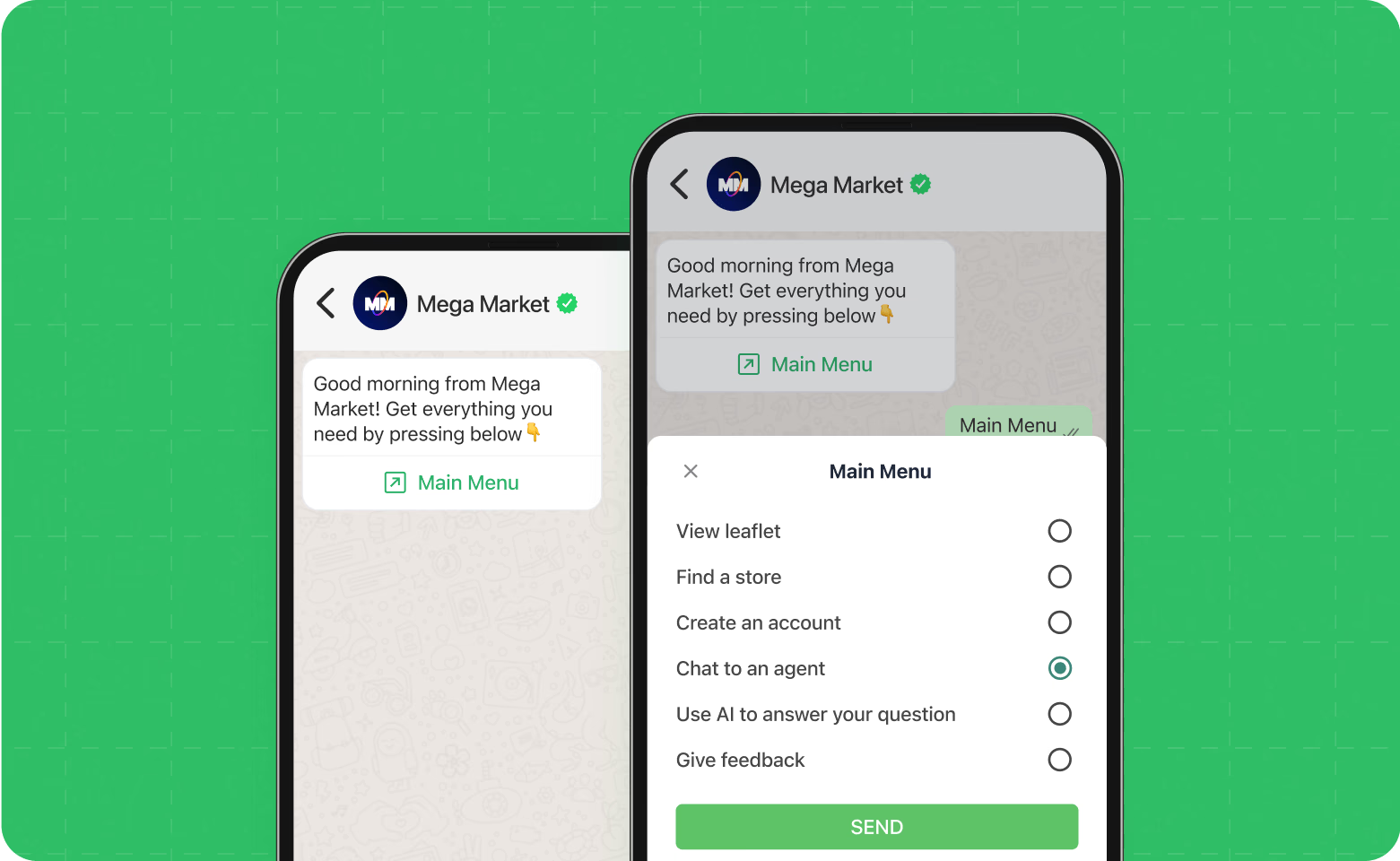
Imagine opening a WhatsApp Business profile. At the top, right below the business name and profile picture, you see a short description that instantly tells you what the business offers and why you should engage. This small section is often the first thing visitors notice, making it extremely important.
Your WhatsApp Business description is more than a few lines of text. It is your first real opportunity to connect with potential customers. Here is why it plays a crucial role.
Most people decide within seconds whether to engage. A clear and professional description immediately communicates what your business offers and shows that you are reliable and approachable
When customers can quickly understand who you are and what you do, they feel more confident reaching out. A vague or generic description can make your business appear unprofessional or inactive
Including a simple invitation such as “Message us to get started” or “Check out our catalog,” encourages users to take the next step. Every word counts in nudging visitors toward a conversation
Even a small description can have a big impact. The right words can turn a casual profile visitor into a paying customer. Now that we understand why your WhatsApp Business description matters, let’s break down the key elements that make it clear, engaging, and effective.
Crafting a strong WhatsApp Business description is about more than just listing what you do. It is about communicating value quickly and making it easy for customers to take action. A well-written description for WhatsApp Business should clearly explain your offerings while encouraging customers to start a conversation. Here are the essential elements to focus on, along with examples you can adapt.
Make your business name clear and recognizable. Avoid abbreviations or confusing terms.
Example: “Convertway - Helping businesses grow with personalized WhatsApp campaigns”
Briefly describe your products or services, focusing on what matters most to your customers.
Example: “We provide automated WhatsApp marketing, SMS campaigns, and customer engagement tools to boost sales.”
Use friendly and approachable language to make your business relatable.
Example: “Looking to increase your sales without extra effort? We can help you connect with your customers instantly.”
Include a clear prompt that guides customers to the next step.
Example: “Message us to set up your first campaign today” or “Tap here to explore our services”
Highlight what sets your business apart from others.
Example: “Fast responses, tailored campaigns, and expert support to maximize your WhatsApp engagement”
So it can be seen that a great description always grabs attention, sparks interest, and makes customers want to reach out. Here are simple, practical tips to make your WhatsApp Business description pop and turn visitors into conversations.
A well-written WhatsApp Business description can turn a casual visitor into a loyal customer. Here are some simple tips to make yours stand out:
Most people skim profiles quickly. Stick to one or two sentences that communicate your value clearly. Avoid long paragraphs that might get skipped.
Example: “Boost your sales with personalized WhatsApp campaigns. Message us to get started!”
Write as if you are talking to a real person. Friendly, conversational language makes your business feel approachable and trustworthy.
Example: “Looking for an easy way to engage your customers? We’ve got you covered!”
Show what makes your business different. Mention your strengths, special offers, or standout features that matter to customers.
Example: “Fast responses, tailored campaigns, and expert support to grow your business effortlessly.”
Tell visitors exactly what to do next. Whether it’s messaging you, exploring your catalog, or checking a link, a simple prompt increases engagement.
Example: “Tap here to explore our services” or “Message us today to get started!”
Keep your description fresh. Update it with seasonal offers, new services, or important announcements to show your business is active and attentive.
Example: “New campaign packages available this month! Message us to learn more.”
Even small mistakes can make a big difference. A description that misses the mark can confuse visitors, reduce trust, or stop them from reaching out. Let’s look at the most common mistakes businesses make and how to avoid them so your WhatsApp Business description works for you, not against you.
Descriptions like “We provide the best service” or “Quality products” do not tell customers what makes you unique. Always be specific and highlight your value.
A long, cluttered description can overwhelm visitors. Stick to the essentials that clearly communicate your offerings and value.
If customers don’t know what to do next, they may not take any action. Always include a simple, actionable prompt.
A formal, sales-heavy tone can feel distant. Keep it friendly, human, and approachable.
Sometimes the best way to learn is to see it in action. A well-crafted description doesn’t just tell customers what you do, it inspires them to take the next step. In this section, we’ll share simple, real-world examples of effective WhatsApp Business descriptions that you can adapt for your own profile.
Here are examples tailored for different types of businesses. Each one is concise and clear, and it includes a friendly call to action.
Example: “Trendy fashion delivered to your door. Message us to explore our latest collection and exclusive deals.”
Example: “We help small businesses grow with personalized WhatsApp marketing. Tap here to book a free consultation.”
Example: “Freshly baked pastries and coffee, made daily. Message us to place your order or check today’s specials.”
Example: “Boost your online sales with Convertway’s automation tools. Start your free trial today by messaging us.”
These examples show how a clear value statement, friendly tone, and call to action can make a profile description engaging and actionable. You can mix and match elements to fit your business style and audience.
Your WhatsApp profile can spark interest, but turning that interest into real conversations and sales requires more than just a description. Convertway helps businesses engage smarter, respond faster, and turn every chat into an opportunity.
Convertway is designed to help businesses not just communicate, but convert. Here’s how it adds real value:
Set up smart automated replies to instantly respond to common questions, so customers never have to wait. This keeps your leads engaged and moves them closer to purchase.
Use customer data to tailor messages. Personalized communication builds trust and encourages repeat engagement, making your WhatsApp channel feel more human.
Convertway links your WhatsApp conversations with broader marketing campaigns, ensuring every interaction aligns with your sales goals and business objectives.
Measure engagement, response times, and conversions. Insights from Convertway help you continuously improve your messaging strategy.
A well-crafted WhatsApp Business description combined with Convertway’s tools enables businesses to convert profile visitors into customers, streamline conversations, and drive sales while maintaining a friendly, personal experience.
FAQs About WhatsApp Business Descriptions
1. How long should my WhatsApp Business description be?
Keep it short and focused, ideally 1–2 sentences or under 200 characters. Your goal is to communicate your value quickly and clearly.
2. Can I include links in my description?
Yes, you can include clickable links, but use them sparingly. Make sure the link adds value, like leading to a catalog, booking page, or website.
3. How often should I update my description?
Regular updates are recommended, including seasonal promotions, new services, and important announcements. It shows customers your business is active and responsive.
4. Should I use emojis in my description?
Emojis can make your description more friendly and approachable, but use them wisely. They should enhance clarity, not distract from your message.
5. How do I make my description stand out from competitors?
Highlight your unique value, quick response times, or special offers. Combine a friendly tone with a clear call to action to encourage engagement.
6. Can a good description really increase sales?
Absolutely! A well-crafted description builds trust, sparks interest, and nudges visitors to start a conversation, which can directly lead to conversions.